What PC Do You Need for a Golf Simulator? Specs for Every Launch Monitor
What each launch monitor maker actually requires from a PC, the spec we put with each one, and why a gaming PC gets more out of a full simulator than an iPad.

For most home simulators in 2026 we spec a Windows PC with an NVIDIA RTX 5070 or better, 32 GB of RAM and an Intel i7 or better. That covers GSPro at 4K and every launch monitor we sell except the Trackman iO, which asks for one step more. Below is what each launch monitor maker actually requires, where our build lands, why a PC gets more out of a sim than an iPad, and the PC mistakes the gaming PC roundups never mention.
Do you need a PC for a golf simulator?
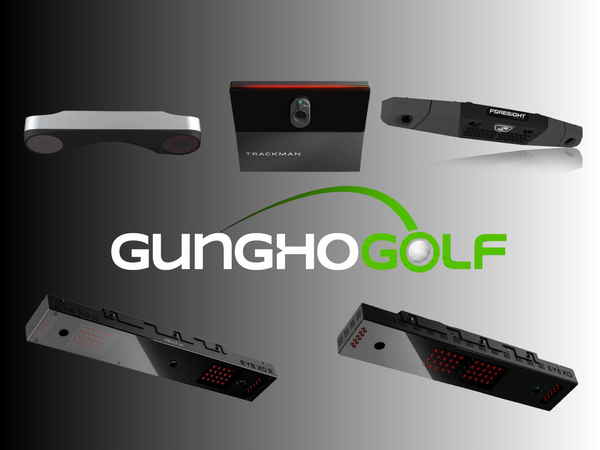
It depends on the launch monitor. Ceiling units like the Uneekor EYE XO2, ProTee VX and Trackman iO will not run without one. Floor units like the SkyTrak+, Mevo Gen2 and Rapsodo MLM2PRO run from a phone or tablet app. The Garmin R50 has its own 10 inch touchscreen, so it runs with nothing else at all.
Once you add a projector and an impact screen, though, the PC is what opens up the full potential of the simulator. That is the answer we give when customers email us asking what the big benefit of a gaming PC is over an iPad, and the rest of this article is the why.
PC requirements for each launch monitor
These are the numbers each maker publishes on its own support pages as of October 2026, next to what we would actually put with it. A maker's minimum is where the software starts. It is not where it runs well on a 4K projector.
| Launch monitor | Needs a PC? | What the maker asks for | What we would put with it |
|---|---|---|---|
| Uneekor EYE XO2, EYE XO, EYE XR | Yes | Intel i7 8th gen or later (Intel highly recommended), NVIDIA graphics required with RTX 30 series or later recommended, Windows 10 or 11 (64 bit), gigabit Ethernet port | RTX 5070, 32 GB, i7 or better |
| Uneekor EYE MINI and EYE MINI LITE | EYE MINI: PC, or iPad for VIEW Air. MINI LITE: yes | Same Uneekor PC list as above | RTX 5070, 32 GB, i7 or better |
| ProTee VX | Yes, Windows only | Minimum: i7 8th gen, 8 GB, RTX 3060. Recommended with golf software: i9 9th gen, 16 GB, RTX 3080, 30 GB free space | RTX 5070, 32 GB, i7 or better |
| Foresight GC3, Falcon, GCQuad, QuadMAX, Bushnell Launch Pro | Yes for FSX Play and FSX 2020. FSX Pro also runs on iPad | Minimum: i5 7th gen, 8 GB, GTX 1060 or RTX 2060. Recommended: i7 or i9 10th gen or newer, 16 GB, RTX 3070 Ti or newer, SSD. AMD not supported | RTX 5070, 32 GB, i7 or better |
| Trackman iO | Yes | Windows 11, 32 GB, Intel i7 at 3.4 GHz or Core Ultra 7, RTX 4070 Ti or RTX 5070 Ti, 1 TB SSD, two gigabit Ethernet ports. For 4K: RTX 4080, 5080 or higher. No AMD | Exactly what Trackman lists. Do not go under it |
| SkyTrak+, SkyTrak MAX, Mevo+, Mevo Gen2, Rapsodo MLM2PRO, Garmin R10 | No for the brand app. Yes if you want GSPro | Phone or tablet for the app | Our standard spec if you add GSPro |
| Garmin R50 | No | Built in screen runs Home Tee Hero | None needed |
The brand rules matter more than most buyers expect. Foresight and Trackman do not support AMD processors or graphics cards at all. Uneekor requires NVIDIA graphics and strongly prefers Intel. ProTee lists AMD equivalents, but we still build on Intel and NVIDIA so the PC keeps working if you move to a different launch monitor in a few years.
Why we land on an RTX 5070, 32 GB and an i7
Golf sim software is a video game engine, so the graphics card does the heavy lifting. GSPro's own guidance puts good 1080p play at an RTX 3060 class card with 16 GB of memory, and asks for an RTX 3080 class card for 4K. Our rule for 4K is simple: use a current card whose model number ends in 70 or higher.
The 32 GB of RAM matches Trackman's requirement and leaves room to run your launch monitor software, GSPro and swing video at the same time. The i7 clears Uneekor's floor and Trackman's. Build to that and you can swap launch monitors later without buying a new PC.
If the sim is golf only and you go with an HD projector, you can step the graphics card down. HD is plenty for golf. 4K mostly sharpens small text and matters for movies. See our BenQ AK900ST vs AK800ST guide if you are still choosing a projector.
Why a PC beats an iPad for a full simulator
The best software only runs on Windows
GSPro is Windows only. So are Foresight's FSX Play and FSX 2020, Trackman Performance Studio, and Uneekor's Refine+ and GameDay. On an iPad you get the brand's app and the tablet version of whatever else supports it. If you want to play GSPro online with friends, you need a PC.
An iPad gives you a 4:3 picture
Most impact screens are wider than a 4:3 image. On a recent quote for a 9 ft wide enclosure, filling the width with an iPad picture meant losing 1 to 2 ft of image off the top and bottom. A PC lets you set a custom resolution in the NVIDIA Control Panel that matches your screen. For an 11 x 9 ft screen that is about 1320 x 1080. The picture fills the screen edge to edge and nothing gets cut off.
Ceiling launch monitors are wired to the PC
Overhead units need power plus a Cat6 run to the PC. The EYE XO2 and EYE XO talk to the PC over a gigabit Ethernet port, and the Trackman iO wants two. There is no iPad version of that setup.
You can run two screens
Uneekor recommends two displays for full features, and GameDay requires two. A common setup puts GSPro on the impact screen and launch monitor data with swing video on a TV on the side wall. A PC does that out of the box.
One box for golf, football and movies
The same PC that runs GSPro plugs straight into the projector, so every streaming site is on the big screen too. Handy once football season starts.
What most guides leave out
The top ranking "best PC for golf simulator" articles are mostly gaming PC lists. Here is what we run into on real installs that they skip.
- AMD machines with Foresight or Trackman. Some top picks in those lists are AMD machines, like Ryzen 9 laptops and Radeon graphics cards. Foresight and Trackman will not support them, and Foresight only supports PCs that meet its specs.
- Not enough Ethernet ports. An EYE XO2 takes the PC's gigabit port. If the PC also needs wired internet, that is a second port. Uneekor includes a USB to Ethernet adapter for this. The Trackman iO lists two ports as a requirement.
- Laptops running on the wrong chip. Foresight tells laptop owners to set the software to run on the NVIDIA card, not the built in graphics. Trackman says a laptop must stay plugged in and recommends a cooling pad.
- Windows updates resetting your custom resolution. If the picture suddenly stops filling the screen after an update, re enter the custom resolution. Set the projector to Extend, not Mirror, and only shrink the image, never stretch it.
- Cheap or long HDMI cables. Flicker and blackouts are usually the cable. Use fiber optic HDMI on long runs. Skip wireless HDMI because it adds lag.
- Macs. GSPro, Uneekor software and FSX Play do not run on macOS.
When we would tell you to skip the PC
If you are hitting into a net with a TV and mostly doing range sessions, an iPad with an app based launch monitor is fine and costs less. The Garmin R50 is built for exactly that: turn it on and play, no other hardware. If you want to avoid a PC entirely, it is a good pick.
If you are building a full sim with a projector and screen, it flips. The EYE MINI LITE lists at $1,999 against $4,999 for the R50, because the MINI LITE relies on parts you are already buying for the room, and the PC is one of them.
FAQ
Can I use the gaming PC I already have?
Yes, if it meets the spec for your launch monitor. An RTX 5070 handles 4K with every launch monitor in the table except the Trackman iO, which needs an RTX 5070 Ti, or a 5080 for 4K.
Is there a cheaper PC that still works if it is only for golf?
Yes. Pair an HD projector with a lower card. GSPro's own guidance puts good 1080p play at an RTX 3060 class card and 16 GB of RAM. Check your launch monitor maker's minimum too.
Can I use a laptop?
Yes, if it meets the recommended specs and has an NVIDIA card. Keep it plugged in and set the sim software to use the NVIDIA card.
Can I use a Mac?
Not for GSPro, Uneekor software or FSX Play. For a full sim, stick with Windows.
Do you sell the PC?
We can add a gaming PC to your package quote, or you can bring your own. The simulator software does not come preinstalled, so plan to download your launch monitor software and GSPro at setup.
Will an iPad work with my launch monitor?
For app based floor units, yes, for the brand app. For the EYE XO2, ProTee VX and Trackman iO, no.
Not sure what your room needs? Send photos and measurements of your space to hello@gunghogolf.com or text (512) 222 2220 and we will spec the PC with the rest of the build. You can also start on our Design Your Simulator page or browse launch monitors.
Planning a simulator?
Build your setup online, or book a 30 minute call with our team.