


BenQ LU935ST 5500 Lumen Short Throw WUXGA Laser Golf Simulator Projector with High Installation Flexibility
A 5,500 lumen laser projector with a native 16:10 WUXGA picture and optical lens shift. It is the HD pick for golfers who want brightness over 4K.
Send us your room and we will check it for free. Book a design call or call (512) 222 2220.
Native 16:10, so the picture runs taller from the start.
The LU935ST trades 4K for a native 1920 x 1200 picture that is taller than 16:9 and closer to the shape of an impact screen. For golf alone, HD is plenty. 4K mainly sharpens small text and matters more for movies.

What you get with the LU935ST

Move the picture, not the mount
Optical lens shift moves the image up to 60% of the screen height and 23% of its width, so the projector can hang higher or off to the side. The zoom gives you about a foot of play in mount position on a 14 ft wide screen.

A 12 ft wide picture from under 10 ft
The short throw lens lets the projector sit outside the hitting area without casting your shadow on the screen. From 10 to 14 ft back it throws an image from 171 to 218 inches.

Greens and blues that look like a course
BenQ built a Golf picture mode with color experts to get grass and sky right. Dual color wheels with an added yellow segment cover 92% of Rec. 709, and HDR10 is supported.

Mounts at any angle, even portrait
The LU935ST can be installed in any orientation, which gives you more ways to mount it. Keystone corrects up to 30° each way, Corner Fit moves each corner on its own, and Digital Shrink trims the image in 0.5% steps.

Video, audio and control on one cable
HDBaseT carries video, audio and control over a single network cable for up to 328 ft. RS232 and LAN control tie it into Crestron, AMX or PJLink systems, and a wired remote input is there for fixed installs.

No filters, no bulbs, steady brightness
The IP5X sealed engine keeps dust out and the laser is rated for 20,000 hours with no lamp changes. A custom light mode sets output from 40% to 100% in 80 steps, so several bays can be matched.
Find your mounting distance
Throw distance is set by the height of your image, not your ceiling. Pick your screen height to see how far from the screen the lens needs to be.
The image will run wider than your screen. Filling the height at 16:9 makes the picture wider than most golf screens. Set a custom resolution in NVIDIA Control Panel or AMD Software that matches your screen's shape, and the image fills it edge to edge with no stretching or distortion.
Distances are lens to screen, from the 0.81 to 0.89 throw ratio. For a full room plan, try the BenQ golf sim planner or send us your room and we will lay it out free.
Full specs
Brand new units with the full BenQ factory warranty.
Picture
Lens and setup
Light source and build
Connections and audio
Size, power and warranty
How far from the screen does it mount?
It depends on the height of your image. Use the calculator above. As a guide, a 10 ft tall image puts the lens about 13 to 14 ft from the screen.
Do I need 4K for golf?
No. HD is fine for golf alone. 4K mainly sharpens small text on screen, like yardages and stats, and makes a real difference for movies.
Should I get the LU935ST or the LK936ST?
They share the same throw and lens shift. The LK936ST is 4K and adds eARC and S/PDIF audio for a home theater. The LU935ST is brighter on paper and matches a 16:10 screen without a custom resolution.
Is 5,500 lumens bright enough?
Yes. A room with any light coming in needs 4,000 lumens or more, and the LU935ST clears that with room to spare.
What mount should I use?
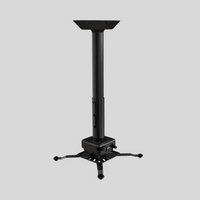
We use the Crimson AV JR3 with an extension column, usually 6 to 11 in, to drop the projector to the right height. With a ceiling launch monitor, set the projector about 1 in lower than the unit so it does not cast a shadow on it.
Are the built in speakers enough?
They work for a quick session, but a sim room sounds far better with a separate system.
What is the warranty?
3 years from BenQ. Every unit we sell is brand new.
What owners say


